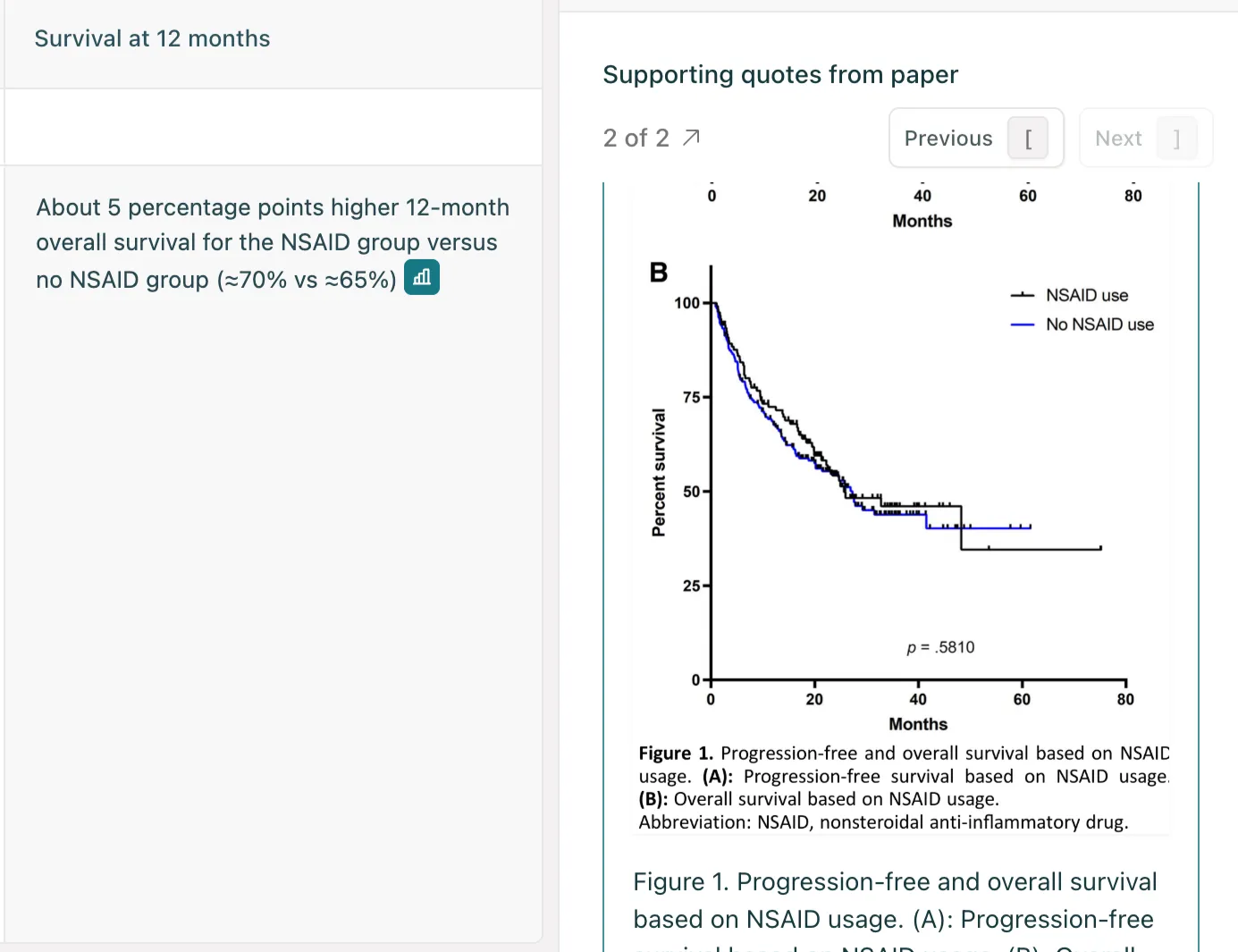
Figures are bursting at the seams with information that never makes it into the text of the paper. Starting today, Elicit can analyze and extract that information from those figures.

Now, you can use Elicit to calculate effect sizes, confidence intervals, and hazard ratios from thousands of papers at once.


This marks a major milestone. We’ve thought about doing this even before we were the first AI tool to introduce table parsing in Elicit two years ago. Frontier LLMs can finally understand scientific images (like the one above) accurately enough.

Here’s how you can use figures in Elicit starting today.

Read Figures first 

Sometimes, the best way to read isn’t to read. It’s to see. When you open a paper in Elicit, skim the abstract and then jump straight to the Figures tab to skim all the figures at once. Captions are included.


Run a literature review

Elicit will automatically pull information from figures of up to 1,000 papers in Reports and Systematic Reviews. Now, you can ask Elicit to calculate the effect sizes from all the forest plots in your papers. 

Figures are available for all Teams and Enterprise users starting today, with Pro access coming soon. To upgrade your plan, visit elicit.com/pricing.

You shouldn’t miss a key result just because it lived in a figure. Now, you won’t.
Go figure!

Hamsa

Product Manager at Elicit

Help Center

Elicit Tutorials

You are receiving this email because you signed up for Elicit, an AI research assistant. You can manage email preferences here. View this email online here.